
We've updated how accounts connected through custodian and PMS integrations are synced in Client Portfolios.
Previously, accounts had to be imported and updated manually. Now, Daily Sync handles this automatically, keeping your portfolio data current without any manual work.
Daily Sync applies to all accounts connected through integrations such as Black Diamond, Orion, Altruist, TradePMR, Schwab, and Interactive Brokers.
What Changed
With Daily Sync:
- Automatic daily updates. All connected accounts are updated overnight with the latest data from your integration.
- Auto-import of new accounts. New accounts that appear in your integration feed are automatically imported into Koyfin at the next sync cycle.
- Manual sync option. You can trigger a sync for an individual account at any time.
- Integrated accounts are now read-only. Accounts connected through an integration can no longer be edited directly, keeping your data consistent with the source.
- Your portfolio structure is preserved. Any household and portfolio organization you've set up in Koyfin stays unchanged through every sync.
Getting Started
The setup process varies by integration:
- Black Diamond, Orion, Altruist: Connect instantly once you authorize in Koyfin.
- Schwab, TradePMR, Interactive Brokers: Require you to email the provider first to request a data feed. Koyfin completes the setup once the feed is active. See the individual integration guides for the full steps.
Once connected, all of your accounts are automatically imported as individual portfolios in Client Portfolios. Each portfolio takes the account name, and the Source column shows which integration it came from.
How to Manually Sync an Account
If you need updated data during the day, you can sync any individual account manually in two ways:
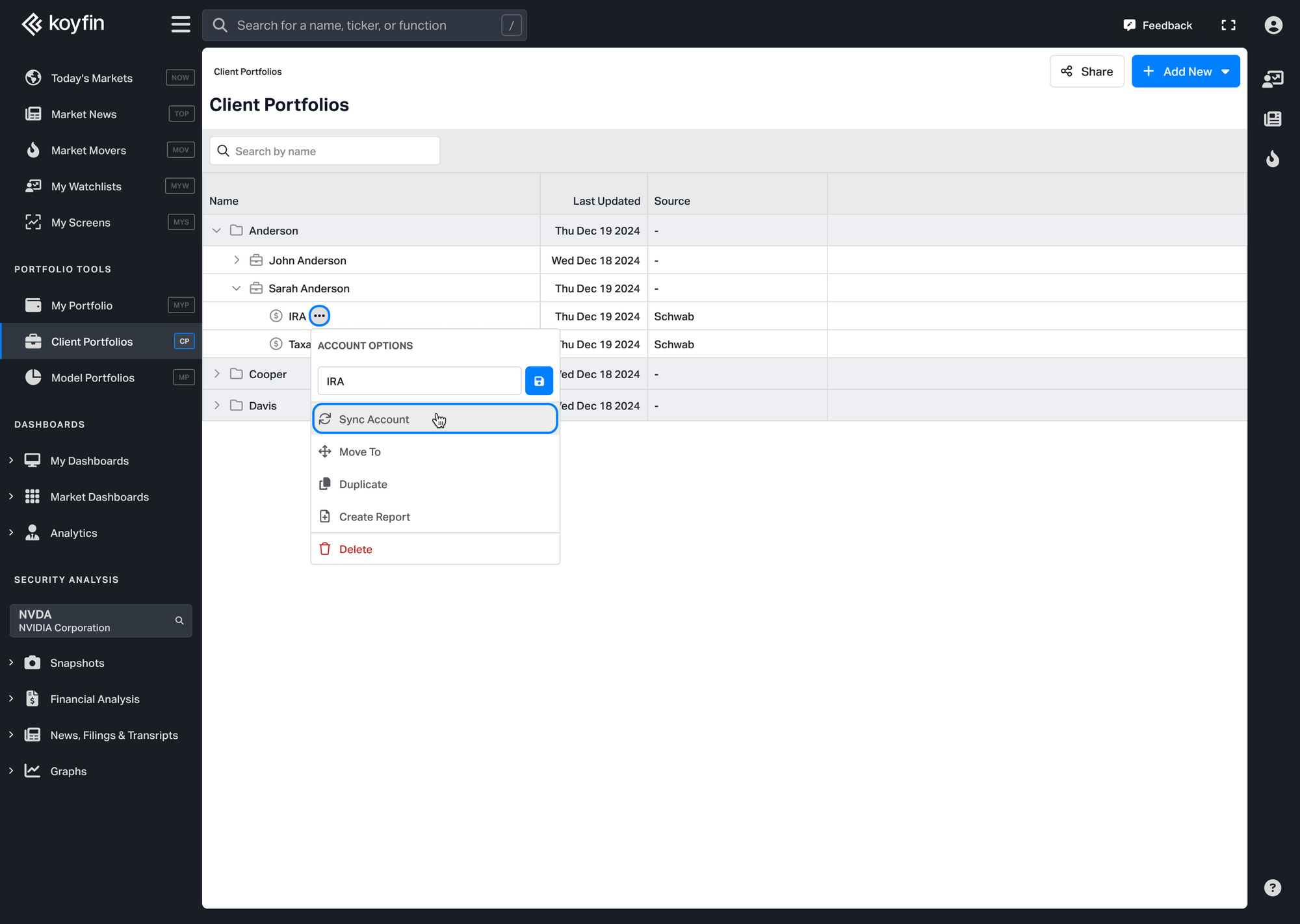
- From the Client Portfolios homepage, hover over the account, click the three-dot menu ⋯ and select Sync Account.
- Open the account, then click the Sync Account button in the top bar.
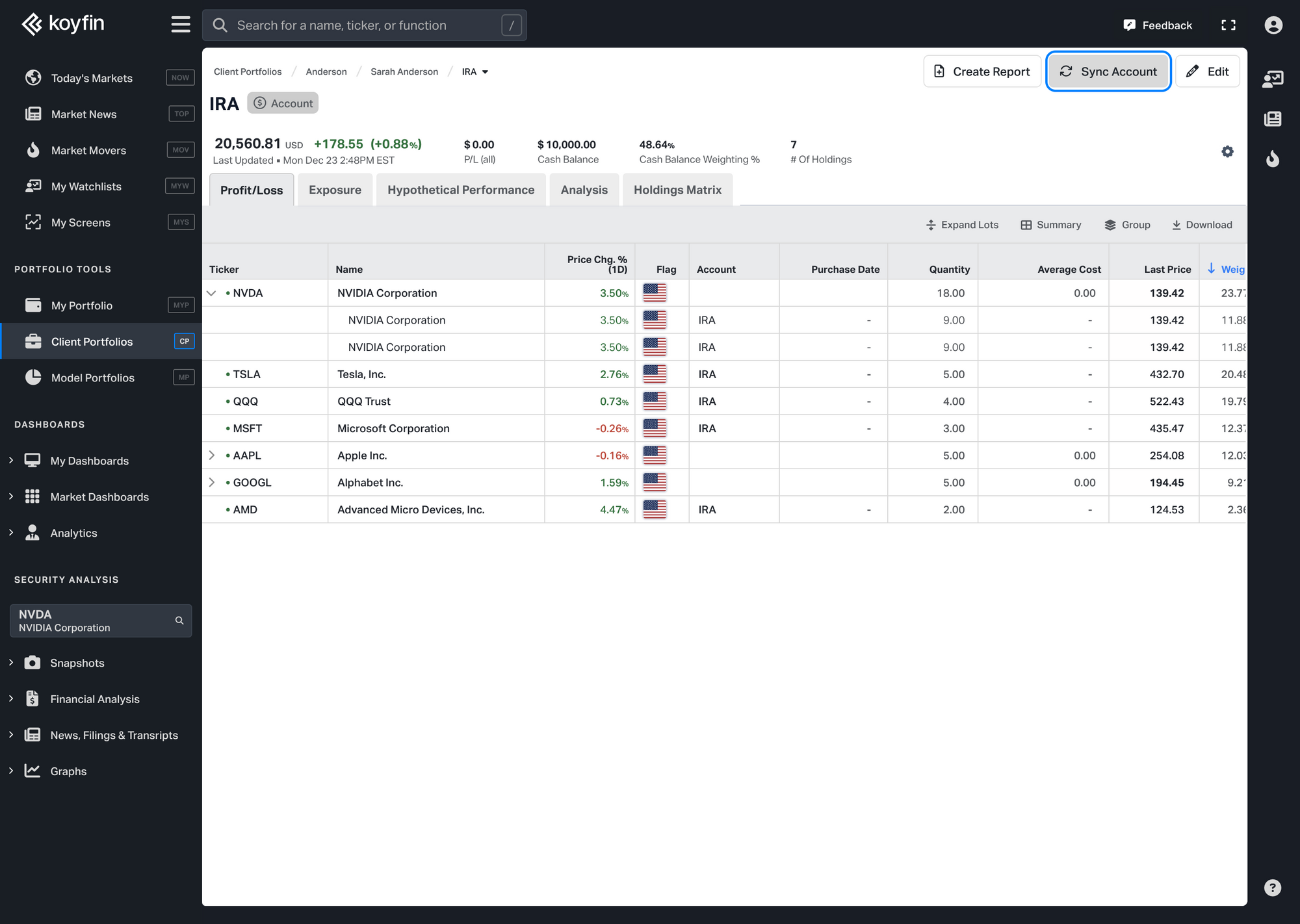
A progress modal will appear while the sync runs. Once complete, you'll see a confirmation and the Last Updated column will update.
Note: If you've disconnected from the integration, the Sync Account button will be disabled.
Why Can't I Edit My Integrated Accounts?
Integrated accounts are read-only to keep your data consistent with your custodian or PMS.
You can still:
- Duplicate the account to create an editable copy
- Delete the account from Client Portfolios
This restriction remains in place even after disconnecting from the integration, so your historical synced data stays intact.
What Happens If There's a Sync Error?
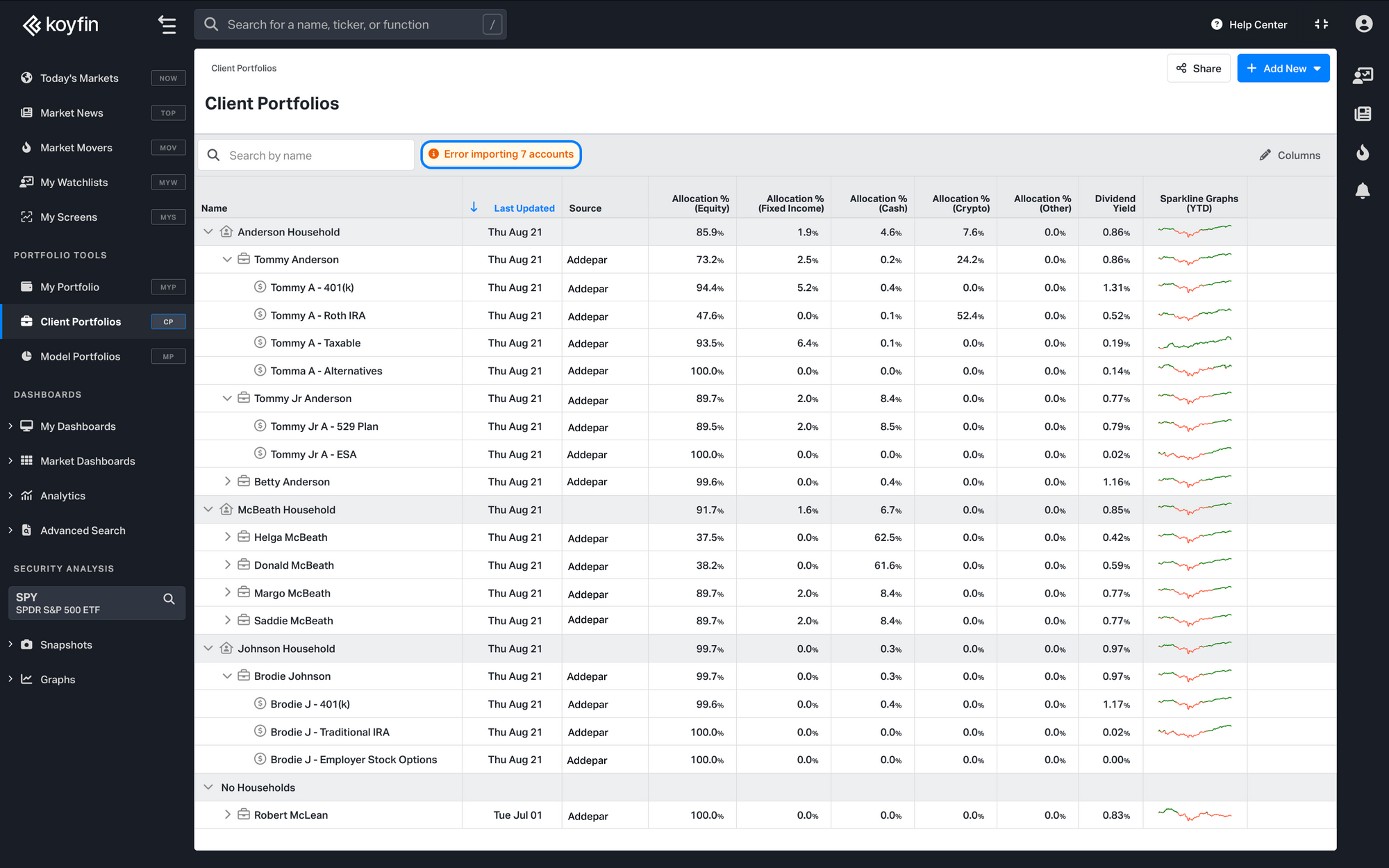
If some accounts fail to sync, a notification appears at the top of the Client Portfolios homepage, next to the search bar, showing how many accounts had errors.
Click the notification to see which accounts were affected.
From there you can:
- Try syncing again
- Contact support if the issue continues
If you have questions about Daily Sync or run into any issues, contact our support team at help@koyfin.com