
Short positions are now supported in My Portfolio and Client Portfolios. A short position is a holding with a negative quantity. Adding shorts to a portfolio gives you an accurate picture of a long/short strategy, with short positions reflected across market value, exposure, weights, and profit and loss.
All figures in Koyfin are shown on a net basis by default unless otherwise stated. This means short positions reduce market value, weight, and exposure (net) rather than adding to them (gross).
Adding a short position
The creation of short positions are supported across four creation methods:
- Manually — open the account, click Edit Account, and enter a negative number in the Quantity field. Click Save when done.
- CSV upload — include negative quantities in your CSV. The upload handles them the same way as long positions.
- PDF upload — upload a brokerage statement containing short positions. Koyfin extracts and imports them automatically.
- Integration import — short positions are imported automatically when connecting a supported custodian or integration.
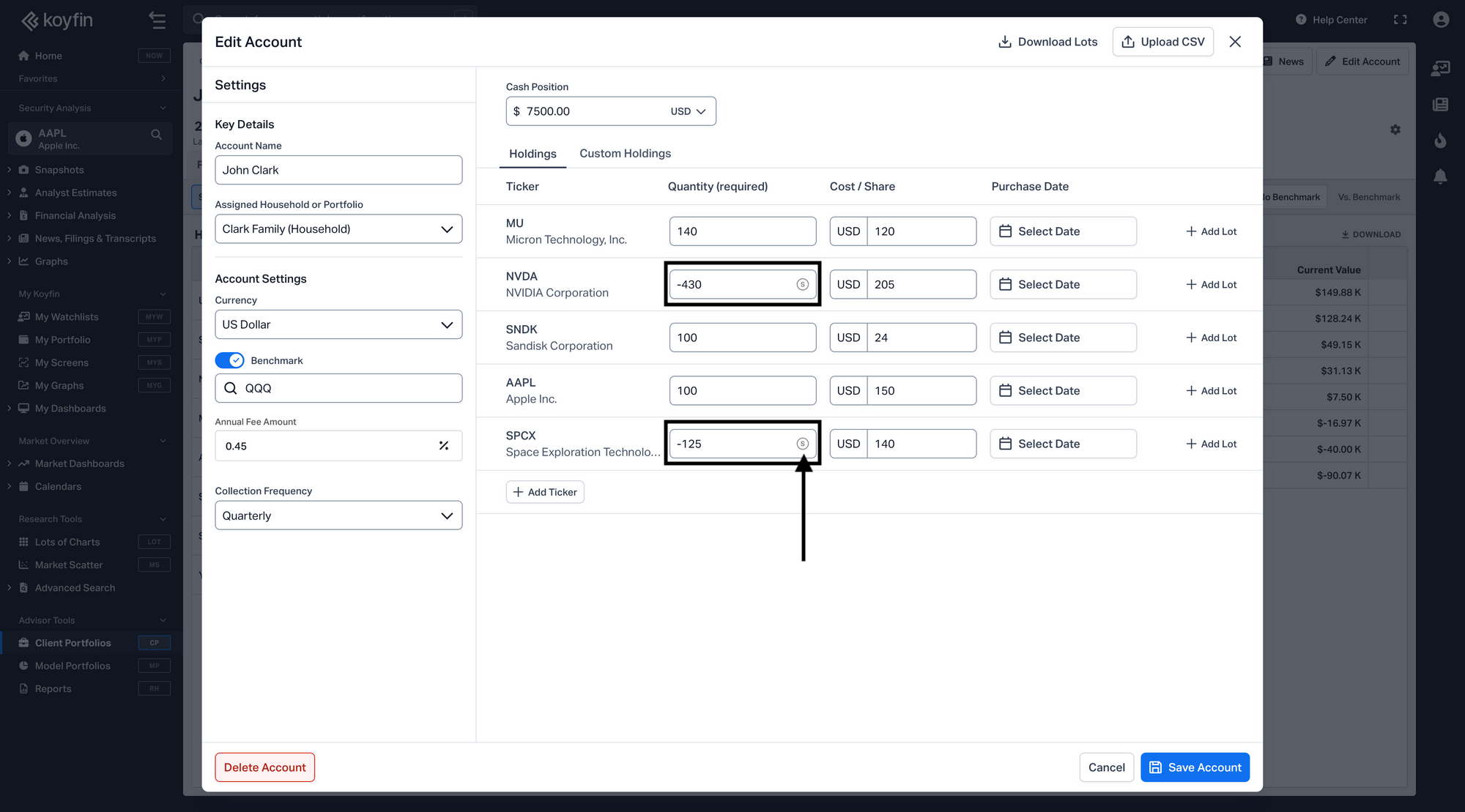
Market value and weights
The Market Value shown at the top left of the quote box is always the net value — long market value minus short market value. Weights across all tables are net weights, so a short position carries a negative weight. Summary rows in tables reflect long positions only.
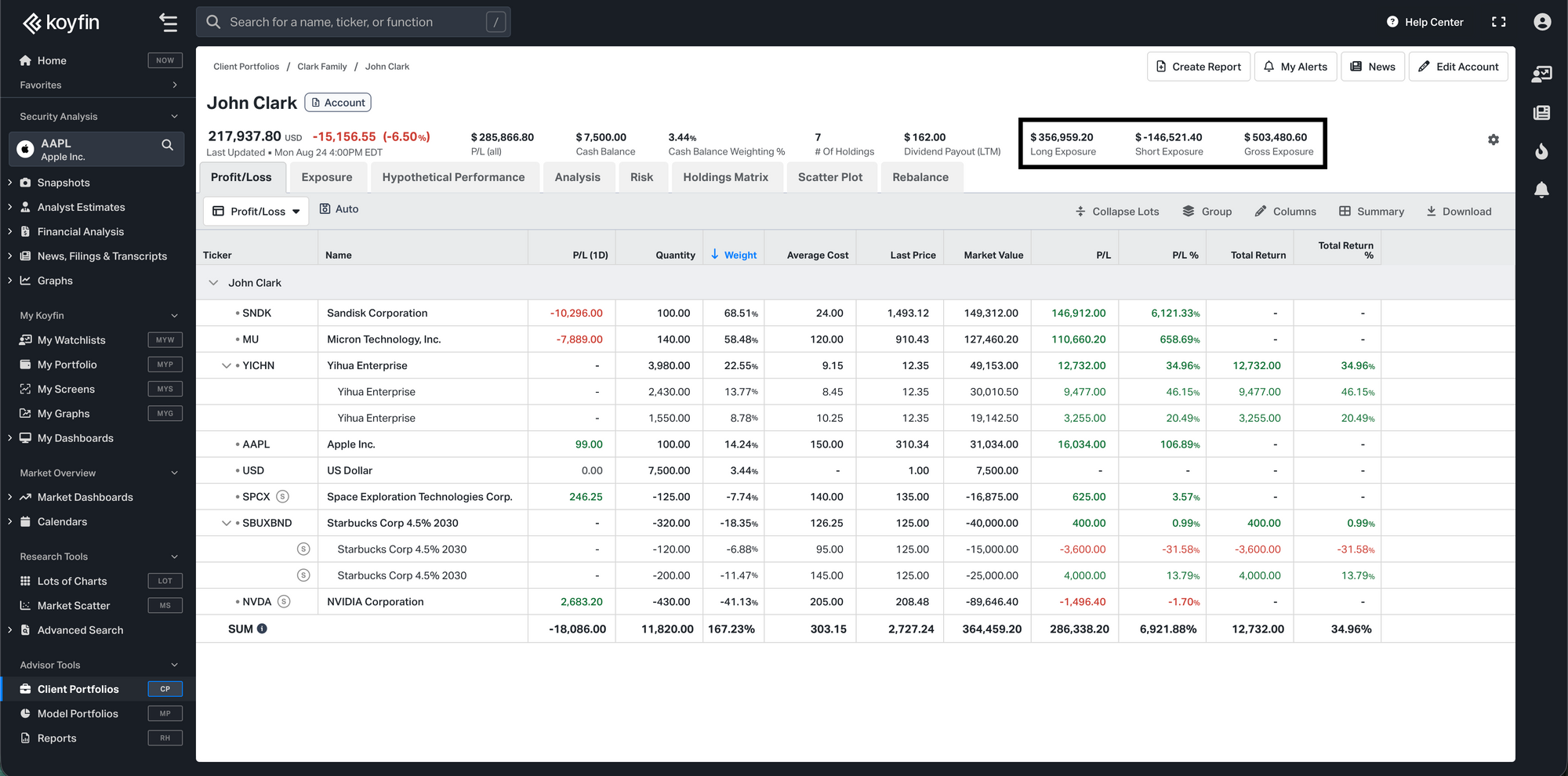
Three additional items can be added to the quote box from its settings (gear icon):
- Long Exposure— total market value of all long positions
- Short Exposure — total market value of all short positions, shown as a negative number
- Gross Exposure — Long plus the absolute value of Short, representing the total size of the book on both sides
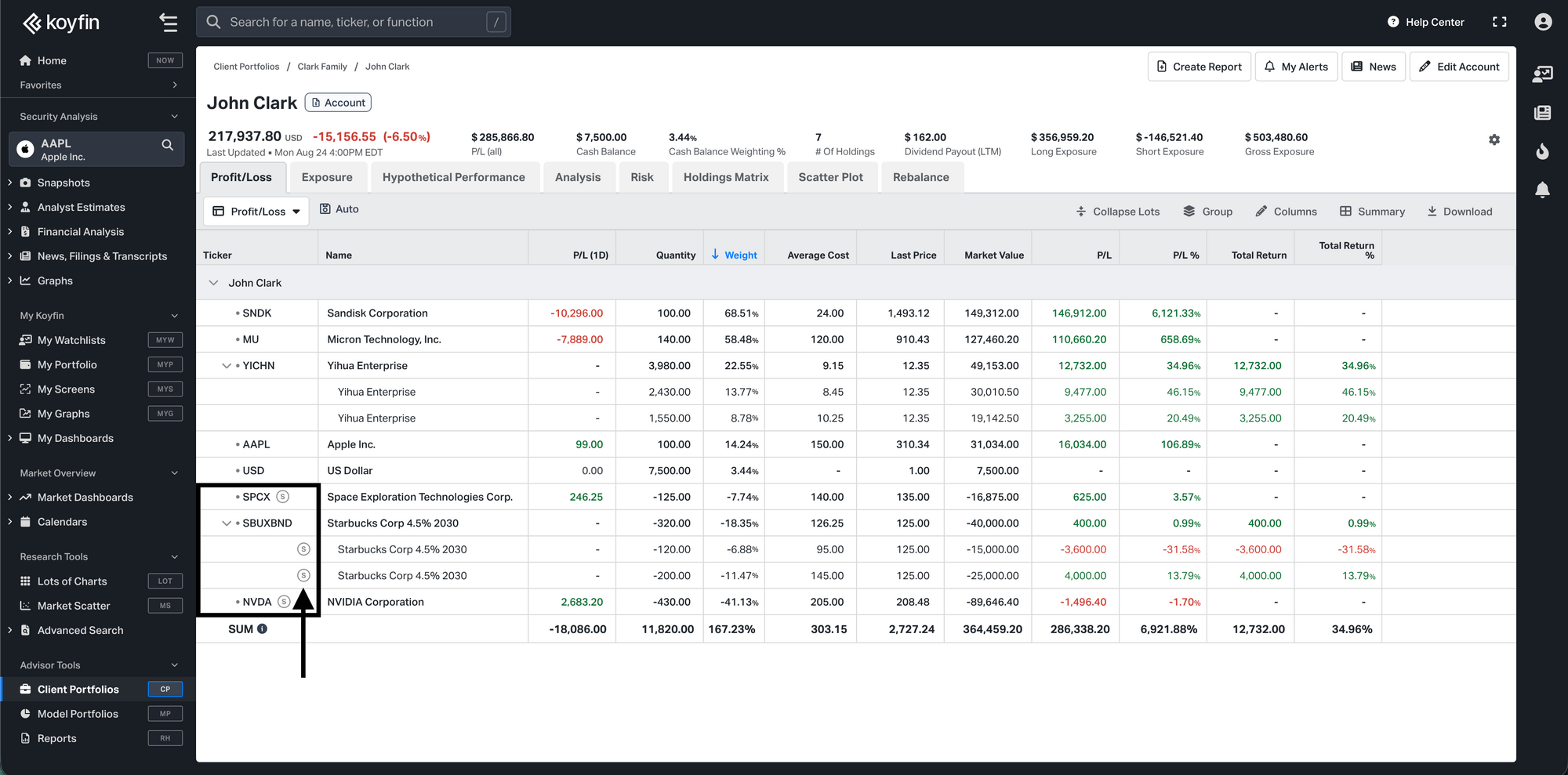
Profit and loss
Short positions appear in the Profit/Loss table alongside long positions. Market value, weight, P/L, and total cost all reflect the direction of the position. Any position or individual lot that is net short is marked with an S badge in the Ticker column.
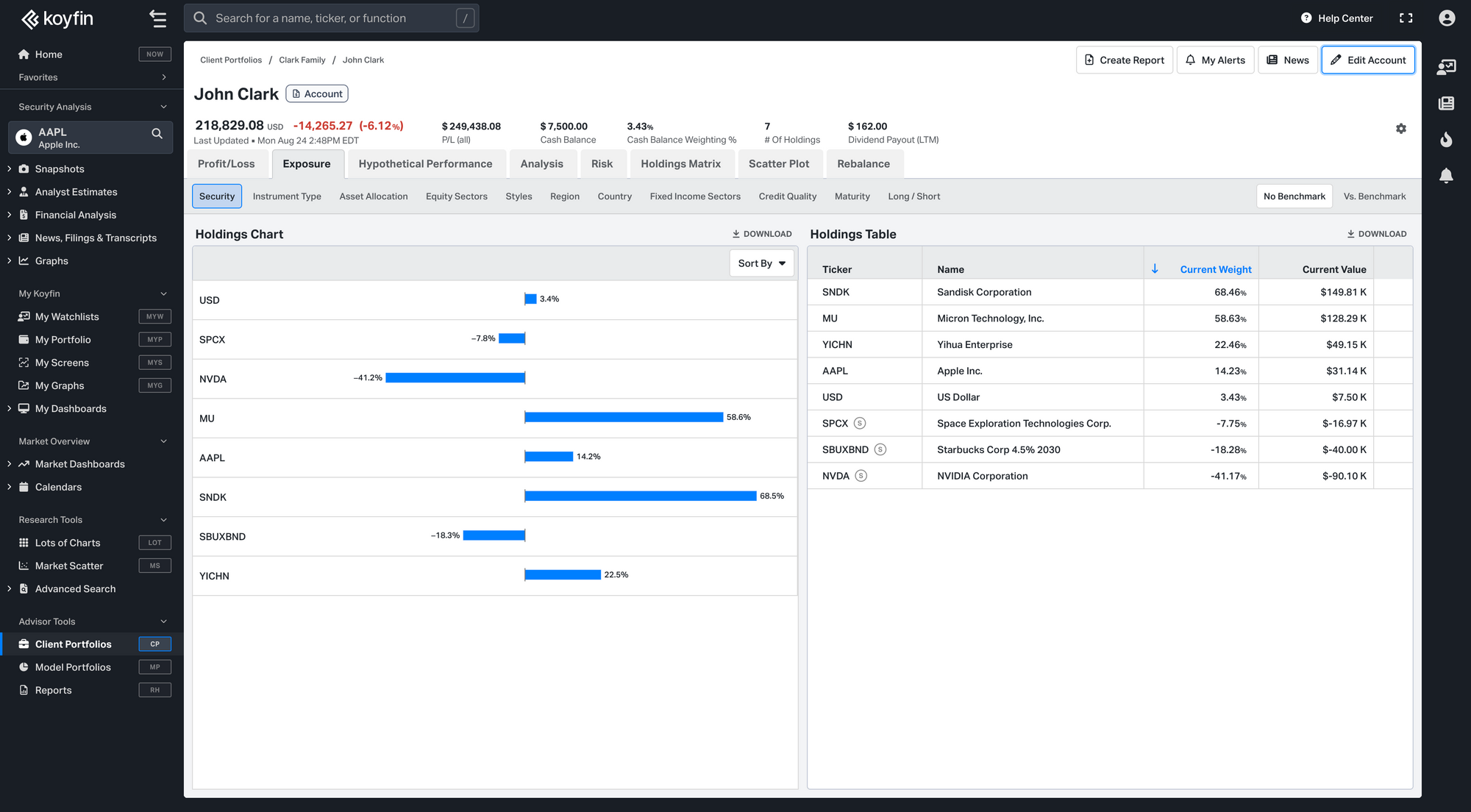
Exposure
When a portfolio contains at least one short position, exposure charts switch from a pie chart to a bar chart, with negative bars extending left for short positions. All exposure breakdowns — Asset Allocation, Equity Sectors, Region, Country, Fixed Income Sectors, Credit Quality, and Maturity — include short positions on a net basis.
A dedicated Long/Short exhibit also appears under the Exposure tab. Its bar chart shows the portfolio's Gross, Long, Short, and Net market value. Clicking a bar filters the holdings table beside it — Gross and Net show all positions, Long shows only long positions, and Short shows only short positions.
Limitations with short positions
Some areas of Koyfin currently use long positions only when a portfolio contains shorts. A banner is shown in affected areas to make this clear.
- Hypothetical Performance and Risk — calculated from long positions only. Short positions are excluded from all performance figures, return metrics, and risk statistics.
- Exposure → Styles — the style boxes are calculated from long positions only. All other Exposure breakdowns include short positions normally.
- Rebalance — unavailable when the portfolio's net market value is zero or negative. This can happen when short exposure equals or exceeds long exposure. Adding cash or long positions to restore a positive net value will re-enable it.
- Summary rows in tables — totals and weighted averages in summary rows are calculated from long positions only. Individual rows for short positions are shown correctly throughout.
Plan availability
- Short positions in Client Portfolios are available in Advisor Core and Advisor Pro plans.
- Short positions in My Portfolio are available in the Premium plan.