
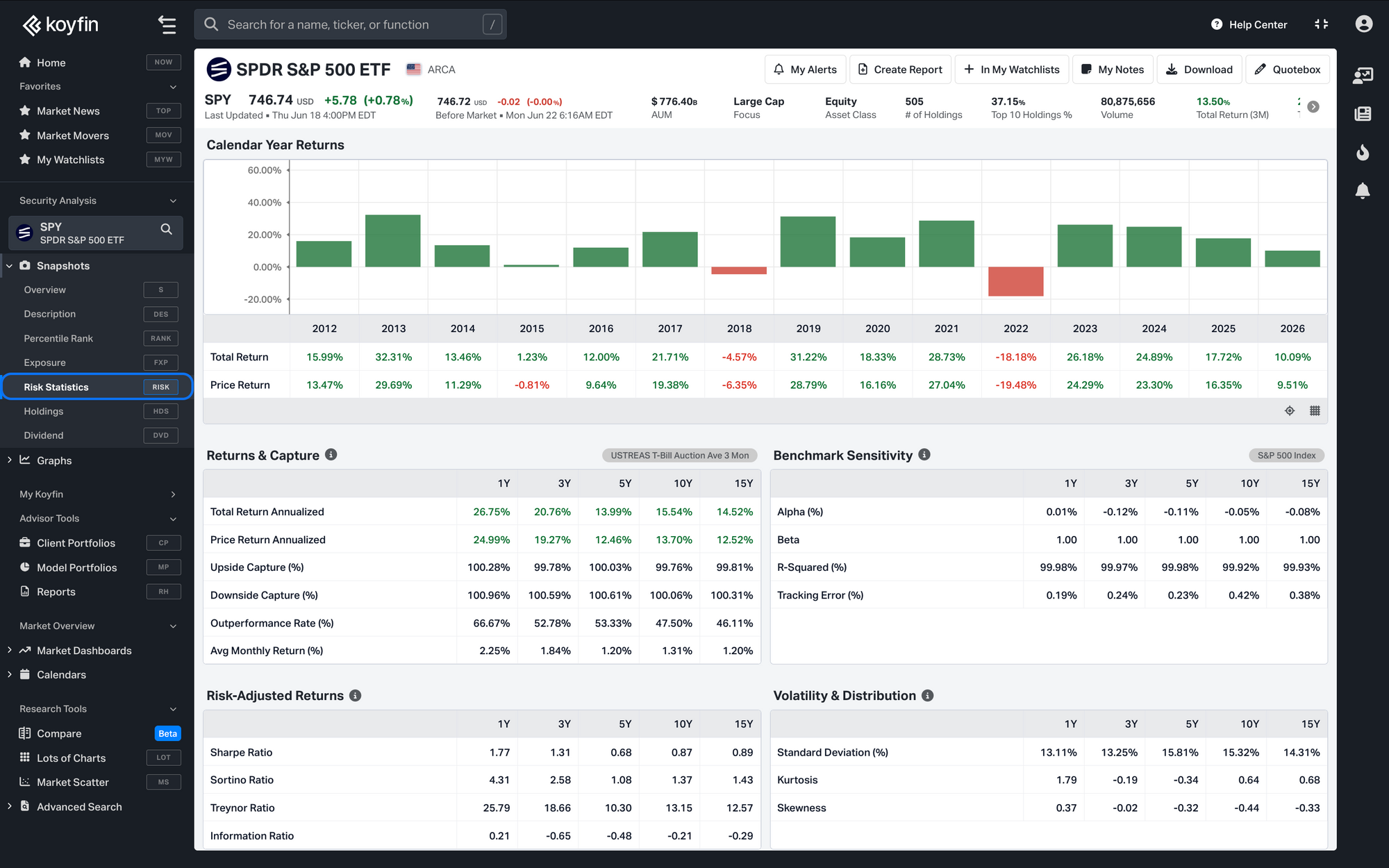
Risk Statistics is a new fund snapshot that brings a fund's risk and performance data together on one page. It covers ETFs, mutual funds, and SMAs, and shows Morningstar risk statistics for a single fund across multiple time periods.
Opening the snapshot
- Open an ETF, mutual fund, or SMA in Security Analysis.
- In the left navigation, under Snapshots, select Risk Statistics. You can also open it by typing the function code RISK.
What's in the snapshot
At the top, a bar chart shows the fund's total return for each of the last 15 calendar years. Below it, the metrics are grouped into four tables, each showing its values across 1Y, 3Y, 5Y, 10Y, and 15Y periods:
- Returns & Capture: how the fund has performed and how much of its benchmark's up and down moves it has captured. The header displays the Risk-Free Rate applied to these calculations.
- Benchmark Sensitivity: how closely the fund tracks its benchmark and how much of its movement the benchmark explains. The header displays the Broad Benchmark used.
- Risk-Adjusted Returns: how much return the fund has delivered for the risk it has taken.
- Volatility & Distribution: how much the fund's returns vary and the shape of that variation.
Plan availability
- ETF risk statistics are available on Plus and above.
- Mutual fund risk statistics are available on Advisor Core and above.
- SMA risk statistics are available on Advisor Pro.