
You can now add Koyfin widgets to your iPhone home screen to check your portfolio, watchlist, and market indices without opening the app.
Available widgets
Portfolio
Shows your holdings with their market value, daily change in dollars, and daily change % for each position.
Watchlist
Shows the tickers in your watchlist with their daily % change.
Markets
Shows four major US market indices – S&P 500, Nasdaq 100, Dow Jones, and Russell 2000 – with their current price and daily change. Available in two sizes: a larger version with price and point change, and a smaller version with % change only.
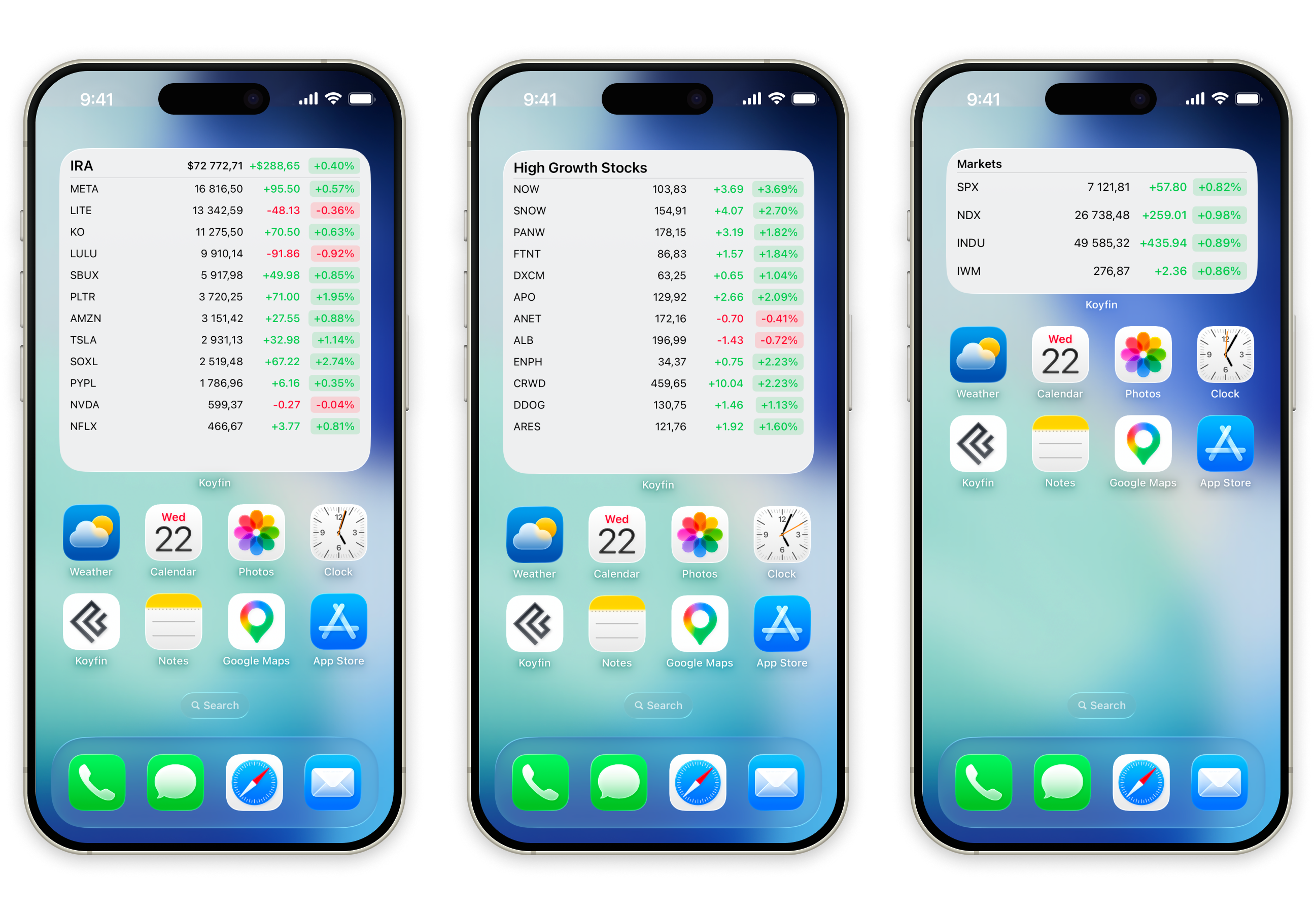
Portfolio and Watchlist widgets reflect what you had open the last time you used the app. The Portfolio widget shows either a single account or the aggregated view, depending on which one was active. Both widgets require you to be logged in to show data.
Tapping any widget opens the Koyfin app directly on the relevant page.
How to add a widget
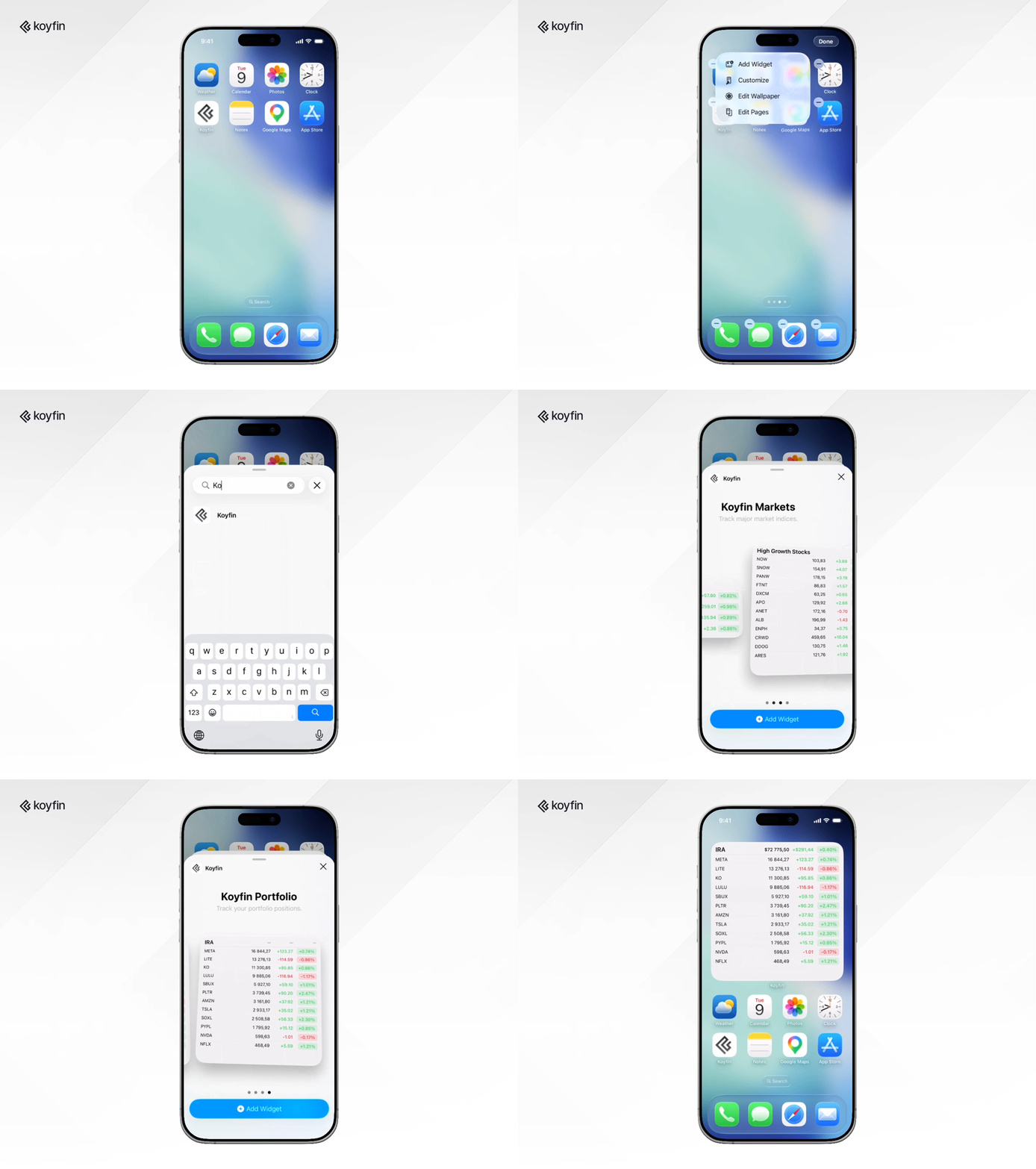
- Long-press on your iPhone home screen until the icons start to jiggle.
- Tap the + button in the top-left corner.
- Search for Koyfin.
- Select the widget you want and tap Add Widget.
Home screen widgets are available on all plans. Requires the Koyfin iOS app version 1.11.0 or later.