

You can now view insider ownership and insider transactions for public companies directly in Koyfin.
To access the data, search for any stock, then go to Snapshots > Ownership (OWN) in the left sidebar. You'll see three tabs at the top: Insider Ownership, Insider Transactions, and Institutional Ownership.
Insider Ownership
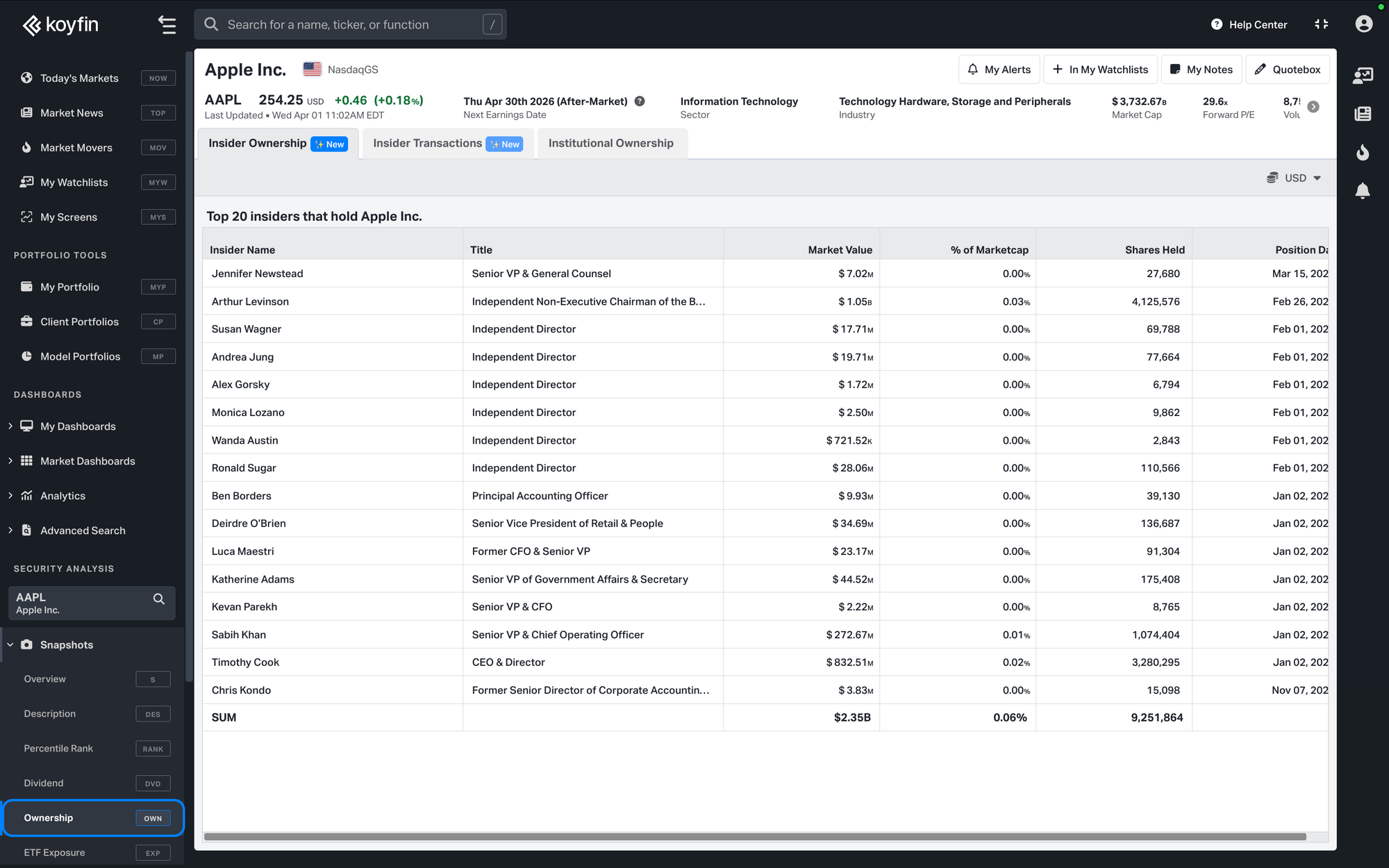
The Insider Ownership tab shows up to the top 20 largest insider holders of a company, ordered by ownership size. Each row includes the insider's name and title, along with:
- Market Value of their holding
- % of Market Cap their holdings represent
- Shares Held
- Position Date from the most recent filing
Insider Transactions
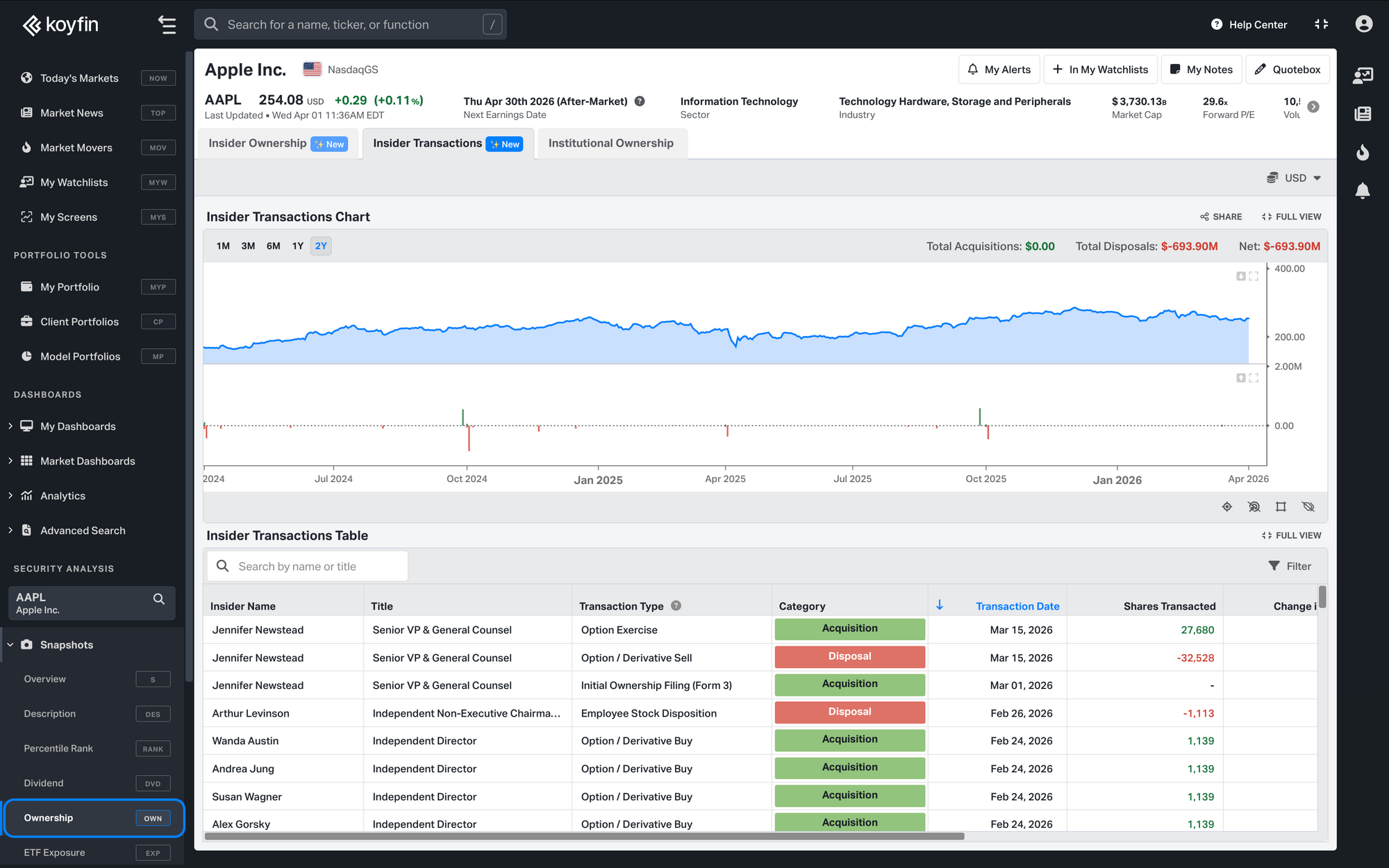
The Insider Transactions tab shows up to two years of buying and selling activity for a given company.
At the top, a chart summarizes acquisition and disposal activity over time, with time period controls for 1M, 3M, 6M, 1Y, and 2Y. Running totals for acquisitions, disposals, and net activity appear in the header.
Below the chart, you can filter through individual transactions with details including:
- Insider Name & Title
- Transaction Type (mapped into 8 categories, each classified as an Acquisition or Disposal)
- Category (Acquisition or Disposal)
- Transaction Date
- Shares Transacted and % of Shares Transacted
- Transaction Value
- Shares Owned after the transaction
- Form Type (SEC filing type)
Currency
Both tabs include a currency toggle. You can view values in the stock's primary listing currency or convert to an alternative. For non-US transactions, values are converted using the FX rate on the transaction date and may not match the raw filing exactly.
Data Source
Insider data is sourced from Capital IQ by S&P and covers public companies globally.
Availability
Insider Ownership and Insider Transactions are available on Plus plans and above.
For more details, see the full help article: Insider Ownership & Transactions.