
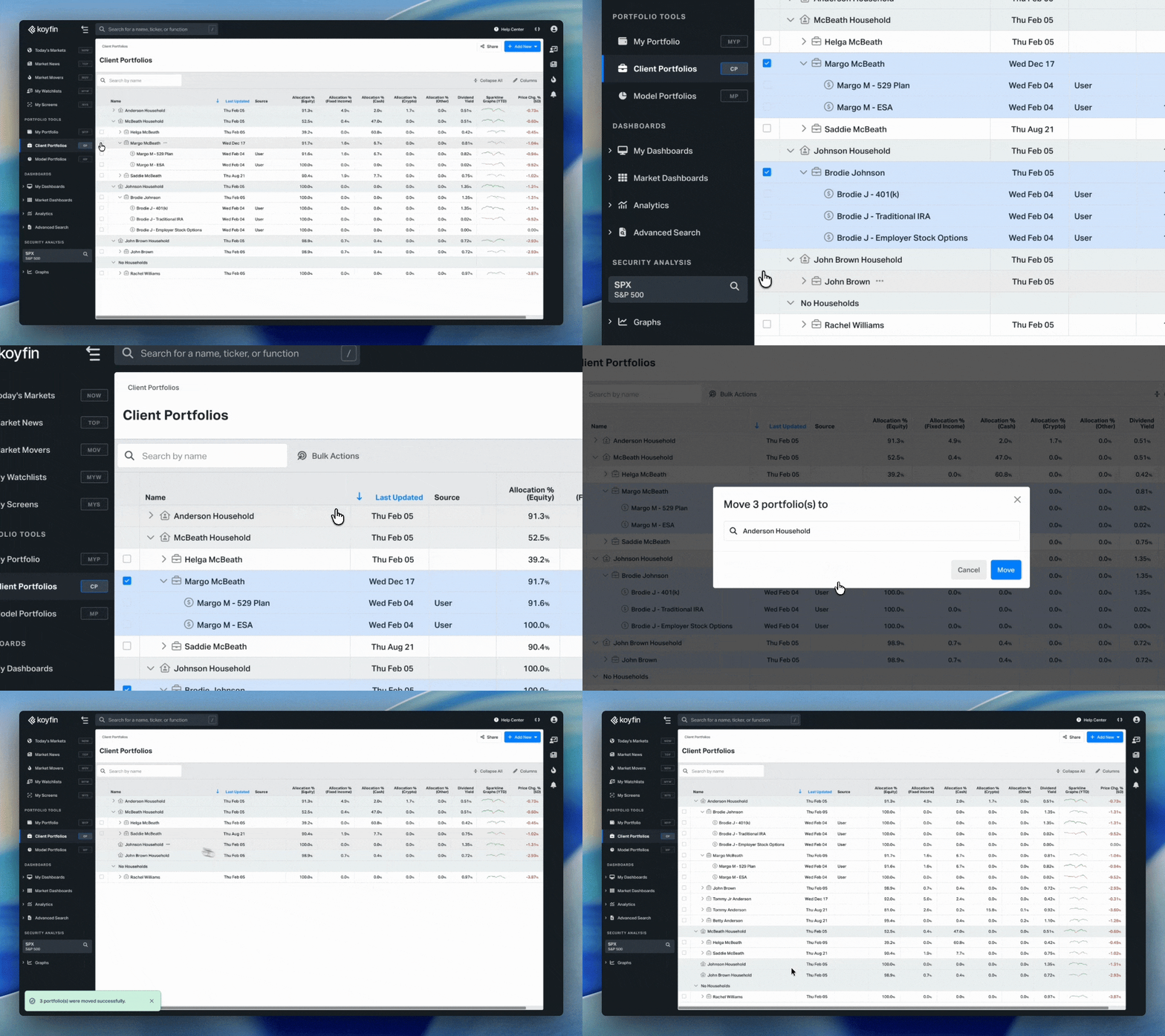
Organize your client data faster by moving multiple accounts and portfolios at once from the Client Portfolios homepage.
How It Works
- In the Client Portfolios homepage, select the checkboxes next to the accounts or portfolios you want to move.
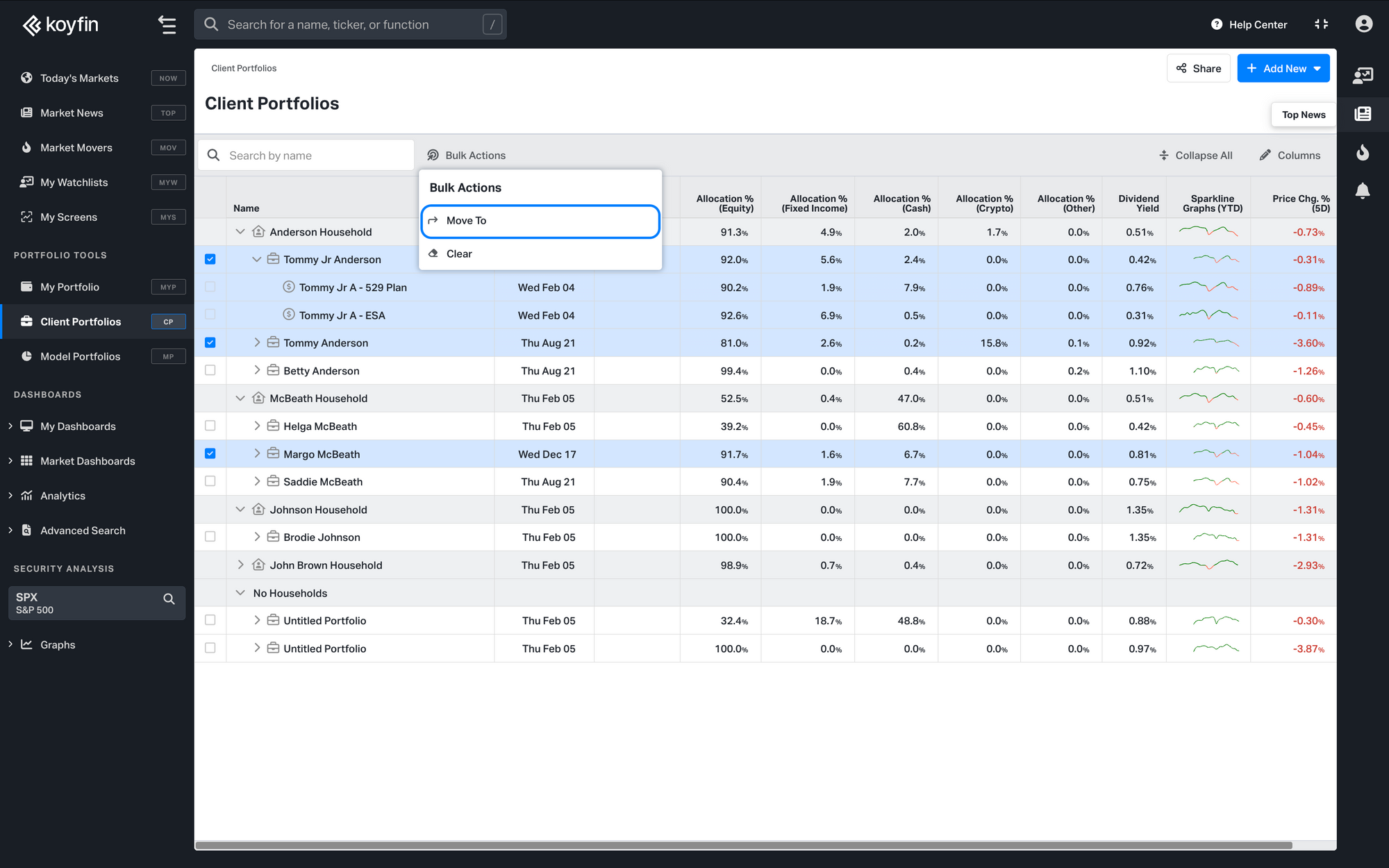
- Click Bulk Actions (located above the table, next to the search bar).
- Select Move To from the dropdown menu.
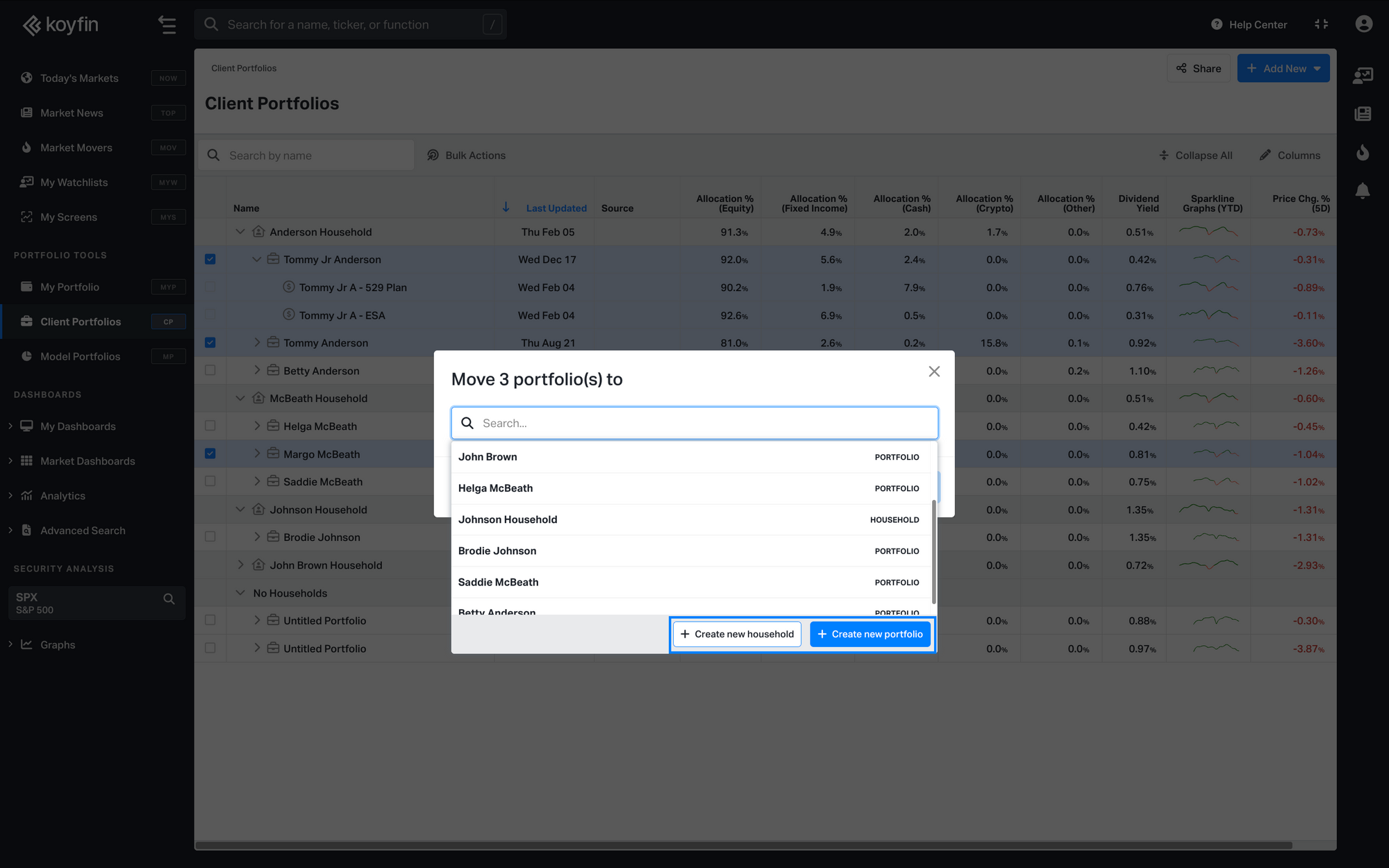
4. In the modal, search for or select your destination from the list. Each destination is labeled as either PORTFOLIO or HOUSEHOLD.
5. If your destination doesn't exist yet, click Create new household or Create new portfolio at the bottom of the modal.
What You Can Move
You can move accounts into existing portfolios, move portfolios into existing households, or move a portfolio into another portfolio to merge their accounts under a single portfolio.
Note: You can only move items of the same type in a single action. To move both accounts and portfolios, complete them as separate moves.